AI lawyer's office for businesses and legal practices
Contracts, matters and deadlines in one legal office
WŬMÙ AI Lawyer is a workspace for lawyers and business owners. It reviews contracts for risk under the law of the jurisdiction you choose, tracks matters by stage and deadline, builds documents from templates and routes them for approval.
Start for free. Pay only for the AI you actually use.
- 34jurisdictions with country and region selection
- 20ready-made document templates
- 4official sources of law
- 36languages for the interface and demo video
Contract review
See the risks before you sign, not after
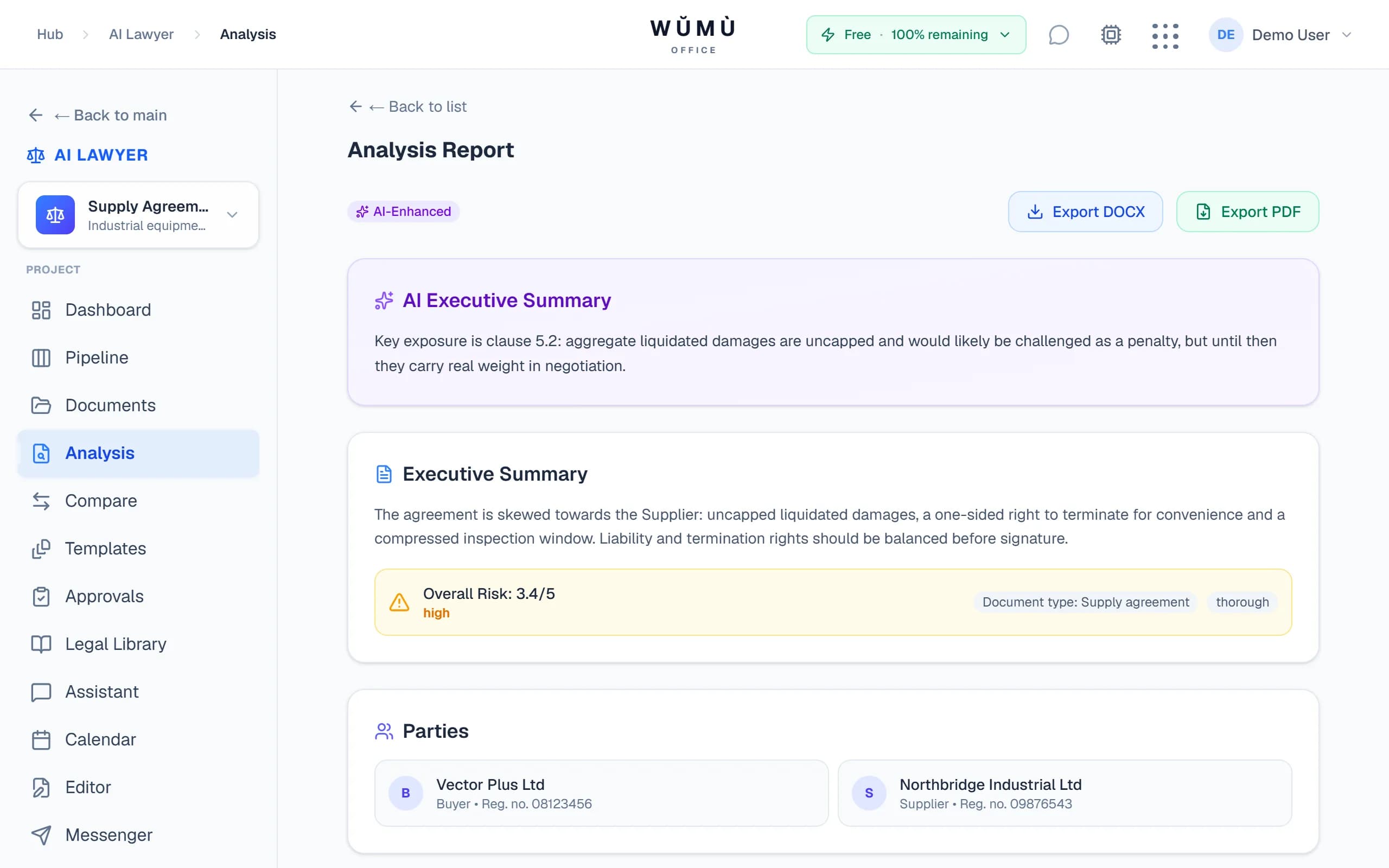
Paste the contract text and choose the side you represent. The office finds the dangerous terms and explains what each one could cost you.
- Red flags and a risk score for every section: one-sided termination, hidden penalties, lopsided liability.
- Rules plus AI. Curated checks for contracts in Russian, English and German, with the language model's comments and summary on top.
- Three depths of analysis: quick, standard and thorough. Export the report to PDF or DOCX.
The law of your jurisdiction
Law depends on where you are. So do the AI lawyer's answers
You set the jurisdiction on a matter and it applies everywhere: in analysis, review and the assistant. A contract under English law is not checked as if it were Russian.
- 34 jurisdictions with country and region selection: USA — Delaware, California, New York; UAE — ADGM, DIFC; United Kingdom — England and Wales, Scotland.
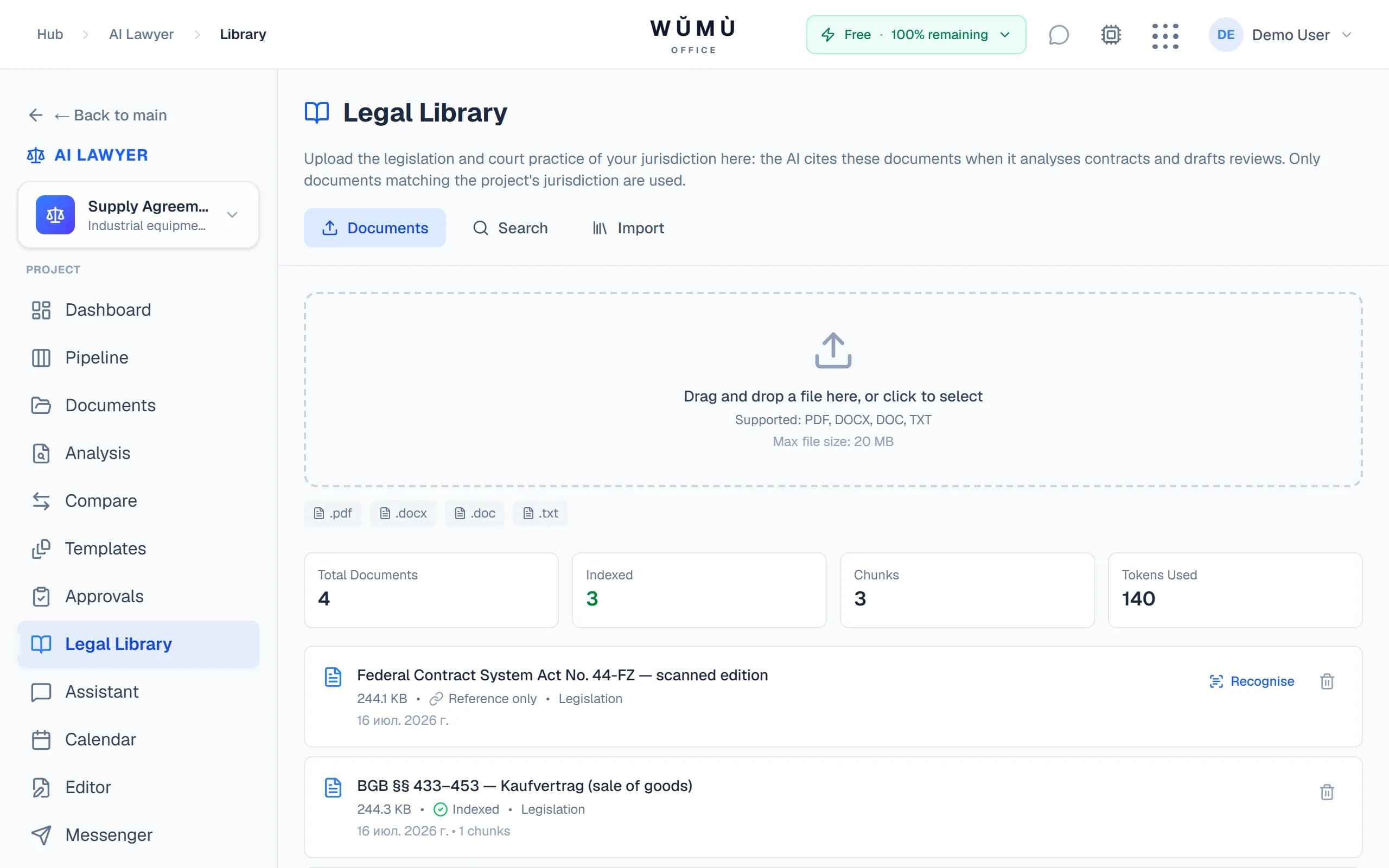
- A legal library built from official sources — pravo.gov.ru, gesetze-im-internet.de, legislation.gov.uk — and your own documents. Every act keeps its source and date.
- Scans are readable. PDFs without a text layer are recognised in the background, stamps and all, and become searchable right away.
- Answers with grounds. The analysis and the assistant quote passages from your library and link to the source.
Matters, pipeline and deadlines
Every matter on one board, every deadline in sight
A matter moves through stages from intake to closing. Drag a card and the stage changes, with an entry in the matter's timeline.
Intake2
Equipment supply
Contract Law
due tomorrow
Warehouse lease
Real Estate
Review1
NDA with a contractor
Contract Law
in 5 days
Active3
Debt recovery
Arbitration
overdue
Employment dispute
Labor Law
in 12 days
Trademark
Intellectual Property
On Hold1
Counterparty check
Compliance
Closed1
Services agreement
Contract Law
Deadlines with reminders
Set a deadline and how many days ahead to remind. Everyone on the matter gets an in-app notification, an email and a message from the lawyer bot.
Practice dashboard
Matter pipeline, upcoming deadlines, documents awaiting approval and recent analyses on one screen.
Matter timeline
Stage changes, deadlines, parties, analyses and notes: the matter's history builds itself.
16 matter types and priorities
Contract, corporate, employment, tax disputes, arbitration, intellectual property and more, with filters by type and priority.
Templates and approvals
A document from a template in a minute, then straight to approval
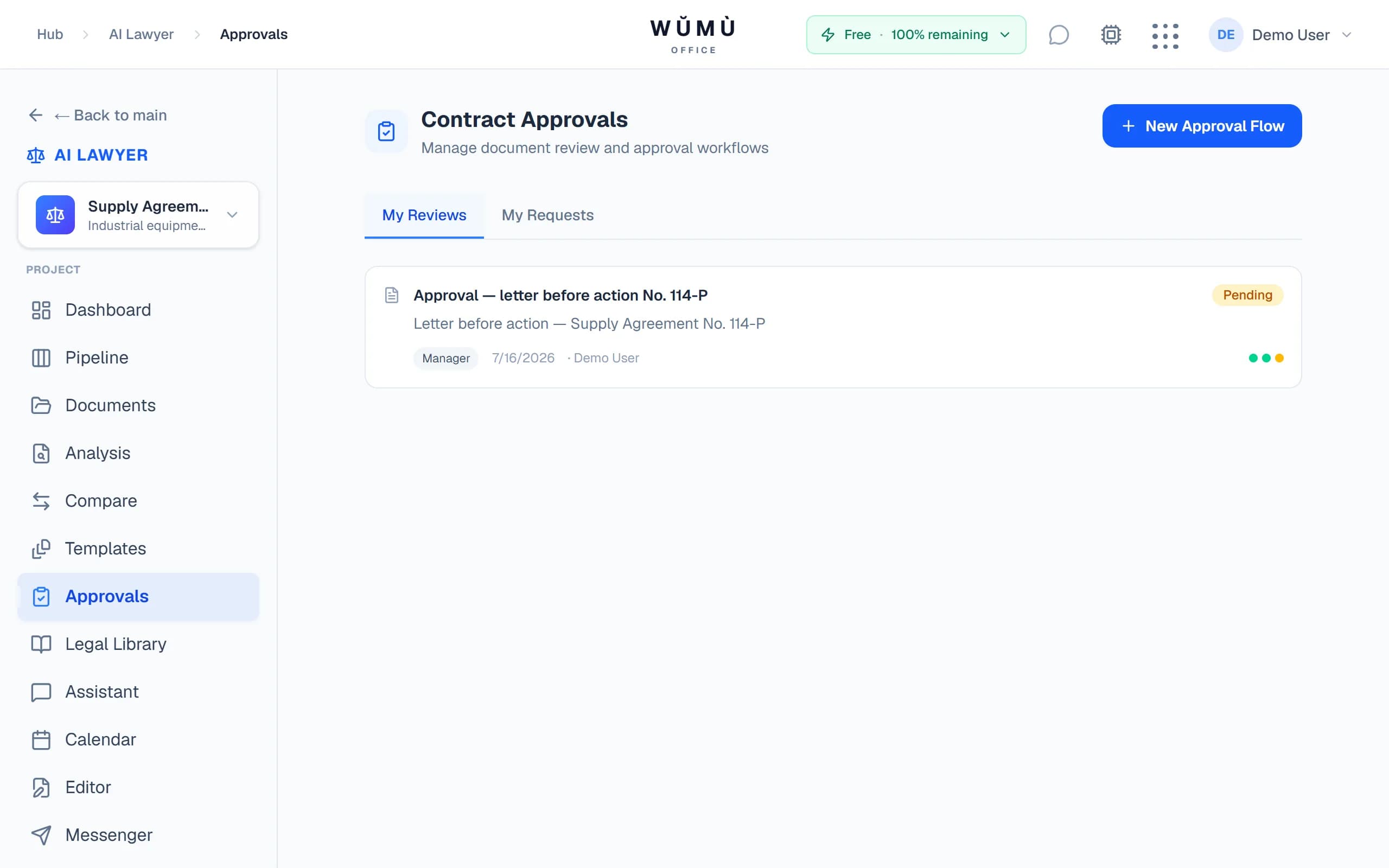
Party details are filled in from the matter. The finished document goes through the approval route and downloads as DOCX.
- 20 ready-made templates: NDA, lease, services, employment contract, supply — for Russia, England and Wales, Germany and Uzbekistan.
- Your team's own templates with a jurisdiction and variables. The office warns you when a template comes from a different legal system.
- A route of up to 10 steps: the reviewing lawyer, the manager and other people on the matter, in turn. Each can approve, reject with a comment or send back for changes.
Editor and AI assistant
The assistant writes the draft, you write the final
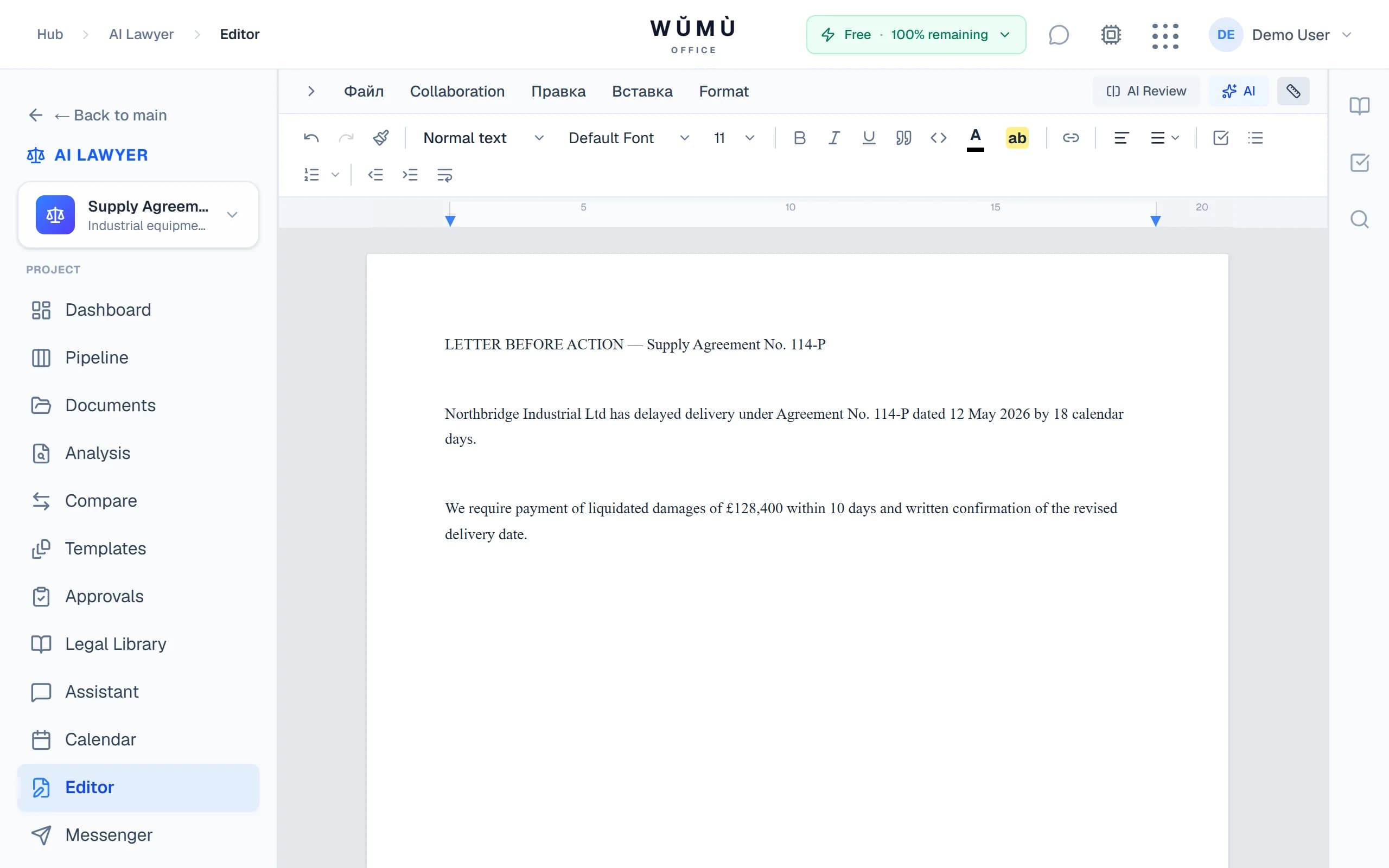
Describe the task and the assistant prepares a claim, a demand letter, a contract or a power of attorney and opens it in the editor.
- Clause library: insert a standard wording or adapt it with AI.
- Playbooks: check a document against your team's rules.
- Detail extraction: parties, tax IDs, dates and amounts pulled from the text in one click.
- Case-law search across your library, right from the assistant chat.
Working with clients
Client, parties and conversations right next to the matter
No separate CRM or messenger needed: party cards, your team and communication live in the same office.
Matter parties
Client, counterparty, court, expert, regulator — with details and contacts. For Russian companies, details are filled in from the tax ID (INN).
WŬMÙ Messenger
Chats and calls with the client, message translation and voice note transcripts. Bring the lawyer bot into a conversation with @.
Team on the matter
Invite colleagues by email and give them a role: manager, editor or viewer.
Email notifications
Approval decisions and upcoming deadlines reach participants by email and in the office.
Getting started
Your first contract reviewed in five minutes
- 1
Create a matter
Name it and choose the jurisdiction: a country and, if needed, a region.
- 2
Paste the contract
Or build a document from a template, with details filled in from the matter's parties.
- 3
Run the matter
Deadlines, approvals and conversations in one place, with reminders for the team.
Security
Your documents stay in your workspace
Contracts are sensitive data. Here is plainly how we protect them.
Workspace isolation
Documents, matters and the library belong to a workspace. Access from another workspace is blocked at the database level.
Roles and access
What a participant sees and can do depends on their role in the workspace and on the matter.
Clear consent
Data is processed only after explicit consent. The terms and the policy are available before you start.
Questions and answers
What can the WŬMÙ AI lawyer's office do?
The WŬMÙ AI lawyer's office reviews contracts for risk and compares versions, tracks matters by stage and deadline with reminders, builds documents from templates and routes them for approval. The assistant drafts claims, demand letters and contracts. The legal library is built from official sources and your own documents, and scans are recognised.
Which jurisdictions are supported?
The office supports 34 jurisdictions with country and region selection: Russia, the USA (Delaware, California, New York, federal law), the United Kingdom (England and Wales, Scotland), Germany, the UAE (ADGM, DIFC, Mainland), Kazakhstan, Uzbekistan, Singapore, Cyprus and more.
Can I compare two versions of a contract?
Yes, you can compare two versions of a contract. The office matches them section by section, shows what was added and removed, rates every edit for your side and compares the risk before and after. The report exports to DOCX.
How does the office help me not miss deadlines?
Each matter has its own deadlines. A chosen number of days ahead, everyone on the matter gets an in-app notification, an email and a message from the lawyer bot. Overdue and upcoming deadlines are shown on the dashboard.
Where does the AI get the law from?
The AI takes the law from your legal library: official sources (pravo.gov.ru, gesetze-im-internet.de, legislation.gov.uk) and your own documents, and quotes the passages it relies on. Where the library has no sources for a country, the answer comes from the model's general knowledge, and the label under the answer says so.
Can I use it for free?
Yes, you can start working in the AI lawyer's office for free. You pay for the AI you actually use; current prices are on the pricing page.
How safe are my documents?
Documents belong to your workspace and are isolated at the database level, and access is governed by roles. For analysis the text is sent to a language model, so do not upload documents that may not be processed that way.
Does the AI lawyer replace a human lawyer?
No, the AI lawyer does not replace a human lawyer. It is a tool for lawyers and business owners: it speeds up analysis, drafting and routine work, but its results need professional review and are not legal advice.
The service is a software tool and does not provide legal services. AI output is not legal advice and must be reviewed by a qualified professional.