How to connect your own domain to a creator page
Թարմացվել է՝ 20 նոյեմբերի, 2026 թ.
Այս հոդվածը դեռ թարգմանված չէ ձեր լեզվով. ցուցադրվում է անգլերեն։
A page can open at your own address, for example links.example.com. Enter the domain in the "Your own domain" section of the "Page" editor, click "Connect", add the record shown at your registrar and click "Check".
Only the page owner connects and changes the domain — even if an agency manages the page.
Connect a domain
- Open "Page" and scroll down to the "Your own domain" section.
- In the "Domain" field enter the address, for example
links.example.com, and click "Connect". - A ready DNS record appears — "Name" and "Value". Copy the value with the button next to it.
- Add this record in the DNS settings at your domain registrar.
- Come back to the section and click "Check".
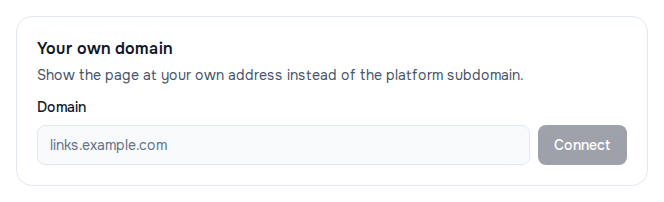
The section tells you which record is needed:
- for a subdomain (
links.example.com) — a "CNAME record"; - for a second-level domain (
example.com) — an "A record": such a domain cannot have a CNAME under the rules of DNS itself.
When the check passes, the status changes to "Verified" and you see "Domain verified — the page opens at your address."
Good to know
- DNS changes do not spread at once — sometimes it takes a few hours. If the check did not pass straight away, most often the record has not spread yet. Wait and click "Check" again.
- The certificate is issued on the first visit, so the very first open at your domain may take a few seconds. After that the page opens as usual.
- Links to the address in WŬMÙ keep working — your own domain does not cancel them.
- One domain — one page. A domain already connected to another page or site in WŬMÙ cannot be taken.
Change or disconnect the domain
- To change the domain, enter the new one and click "Change", then add the new record and click "Check" again.
- To disconnect, click "Disconnect" and confirm. The page goes back to its address in WŬMÙ.
If it did not work
The status is "Not verified" with the reason under the buttons:
- "No record found for this domain yet." — the record has not spread yet or was not saved at the registrar. Wait and click "Check" again.
- "The CNAME record points somewhere else." — the domain is pointed at another service. Change the record value to the one shown in the section.
- "The A record points to a different address." — the same for an A record.
When entering the domain:
- "This domain is already connected to another page." — the domain is taken by another page or site.
- "Platform domains cannot be connected." — an address on a WŬMÙ domain will not do: you need your own.
- "This does not look like a domain." or "An IP address cannot be used as a domain." — enter a name like
links.example.com. - The field is grey with "Only the page owner can change the domain." — you are not the owner; ask them.
Հոդվածն օգնե՞ց։
Չե՞ք գտել պատասխանը
Մեր աջակցության թիմը կօգնի՝ գրեք մեզ չաթում։